# Account Setup

## Initiate Test

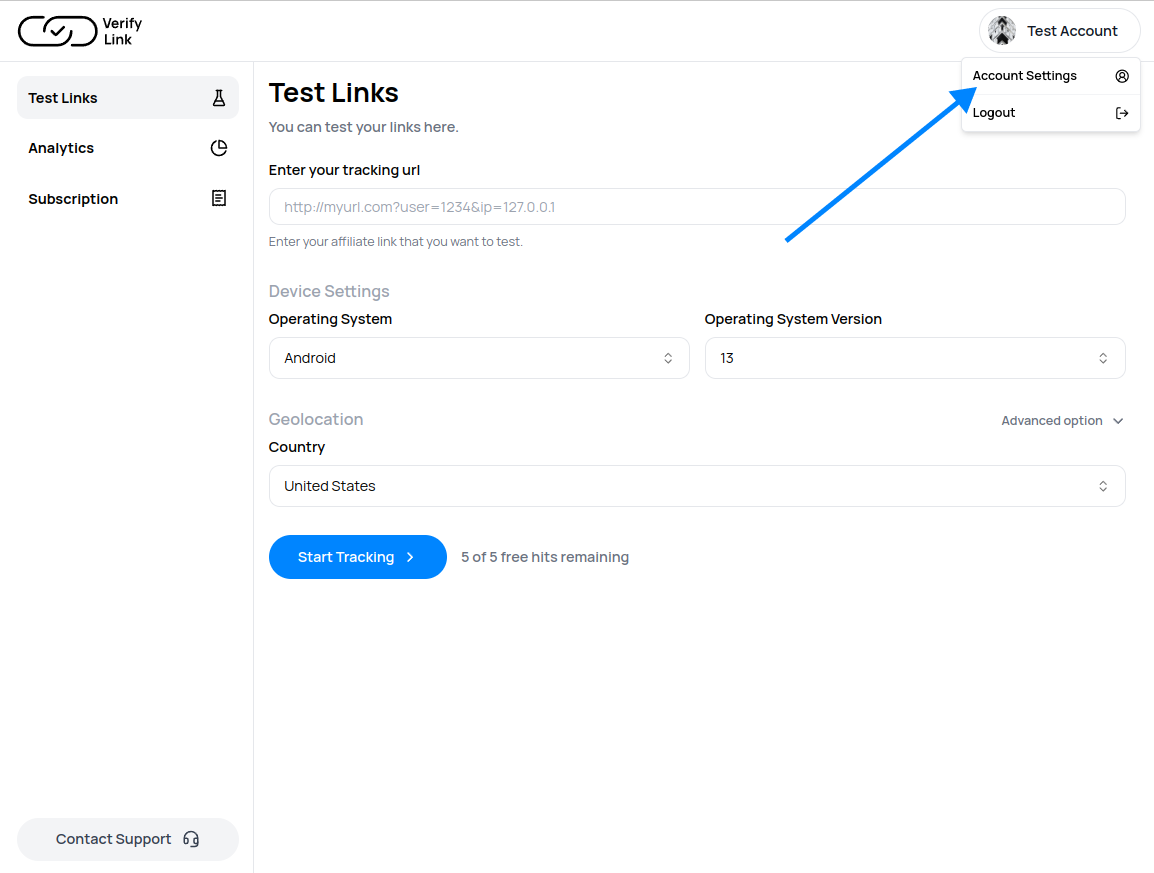
If you are on Web Plan, You can start testing links by logging in to your account

<figure><img src="https://1755643073-files.gitbook.io/~/files/v0/b/gitbook-x-prod.appspot.com/o/spaces%2FjVQ4i1KqNDyGnm3ZWyeT%2Fuploads%2FqTx3MfROF1v0V5SNFak3%2FScreenshot%20from%202024-05-24%2016-30-49.png?alt=media&#x26;token=3a6eeb72-56d1-45ec-a4b0-1d82a4ffafff" alt=""><figcaption><p>Web Test Preview of Verifylink.io</p></figcaption></figure>

## Grab API KEY

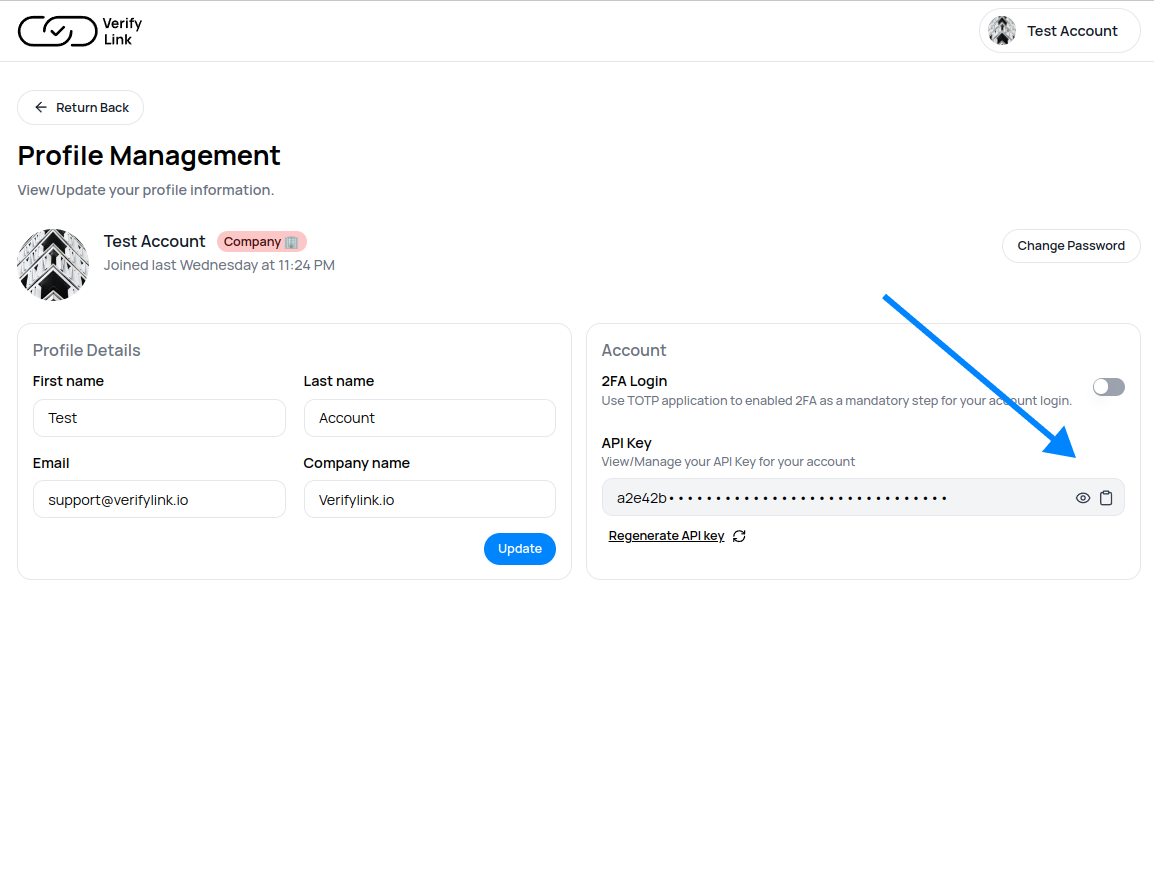
If you just purchased your API Plan, You can Follow this step to Grab Your API KEY

<figure><img src="https://1755643073-files.gitbook.io/~/files/v0/b/gitbook-x-prod.appspot.com/o/spaces%2FjVQ4i1KqNDyGnm3ZWyeT%2Fuploads%2FngSrwCp8iCHVREccpl2v%2FGroup%202.png?alt=media&#x26;token=4e482b39-5ad5-4592-a5d0-eee102a3f4b2" alt=""><figcaption><p>Verifylink.io Account Setting</p></figcaption></figure>

#### Now Copy API Keys

<figure><img src="https://1755643073-files.gitbook.io/~/files/v0/b/gitbook-x-prod.appspot.com/o/spaces%2FjVQ4i1KqNDyGnm3ZWyeT%2Fuploads%2FiOLXfjunW6pjTOucgGp9%2FGroup%203.png?alt=media&#x26;token=5b2d298e-529e-44f6-905f-0a39635cca81" alt=""><figcaption><p>Copy API Key from Verifylink.io</p></figcaption></figure>